December 2025
Assignments – Group Assignment evaluation email enhancements | Updated
This release introduces enhancements to the Email Group button in Group Assignment Evaluation.
If a group has no members, or if the users in the group do not have an internal D2L email set up or an external email linked, the Email Group button no longer appears. The button now displays only when it is actionable, reducing confusion and improving interface clarity.
This update enhances the overall experience by aligning with accessibility and usability best practices, ensuring that only relevant options are shown to users.
Previously, the Email Group button appeared even in groups with no users, which caused confusion.
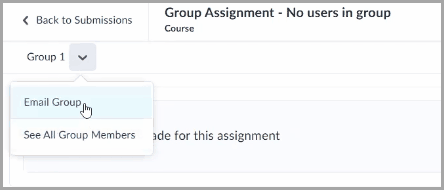
Figure: The Email Group button in Group Assignment Evaluation before this update if a group has no members.
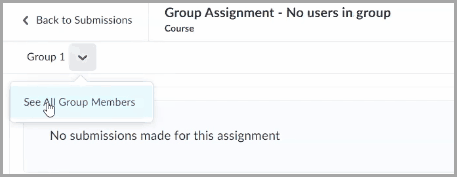
Figure: The Email Group button no longer appears in Group Assignment Evaluation after this update if a group has no members.
Discussions – Enforce timely learner engagement with first post due dates | Updated
To ensure timely learner participation, instructors can now specify a due date for the first post in a discussion topic. This supports course pacing, institutional policies, and consistent expectations for learner engagement. This mirrors the behavior of Assignments and Quizzes, making the course experience more consistent and predictable.
Previously, instructors could not set due dates for initial discussion posts, which made it difficult to assess timely engagement or enforce deadlines. This update improves grading accuracy, simplifies compliance with participation policies, and supports smoother course migrations from learning management systems that already include this functionality.
The first post due date follows the same behavior as Assignments and Quizzes:
- Due dates must be between the start and end dates of the discussion topic.
- Availability types (for example, Hidden, Visible with access restricted, Visible with submission restricted) are respected.
Additional improvements include:
- Calendar tool integration: The first post due date appears in the calendar.
- Notifications: Administrators can enable notifications. When enabled, the due date will trigger a notification in Brightspace and push notification (Pulse App).
- Grading: Discussion due dates support automatic-zero grading.
- Other enhancements:
- In Manage Dates, first post due dates are visible and editable.
- In the Discussion List, due dates appear next to each topic.
- In New Content Experiences, Overdue and Late indicators appear when deadlines are missed. Classic content will continue to show the due date on the content topic.
- In Quick Eval and Consistent Evaluation, first post due dates appear in evaluation workflows.
- In the Work to Do widget, due dates appear.
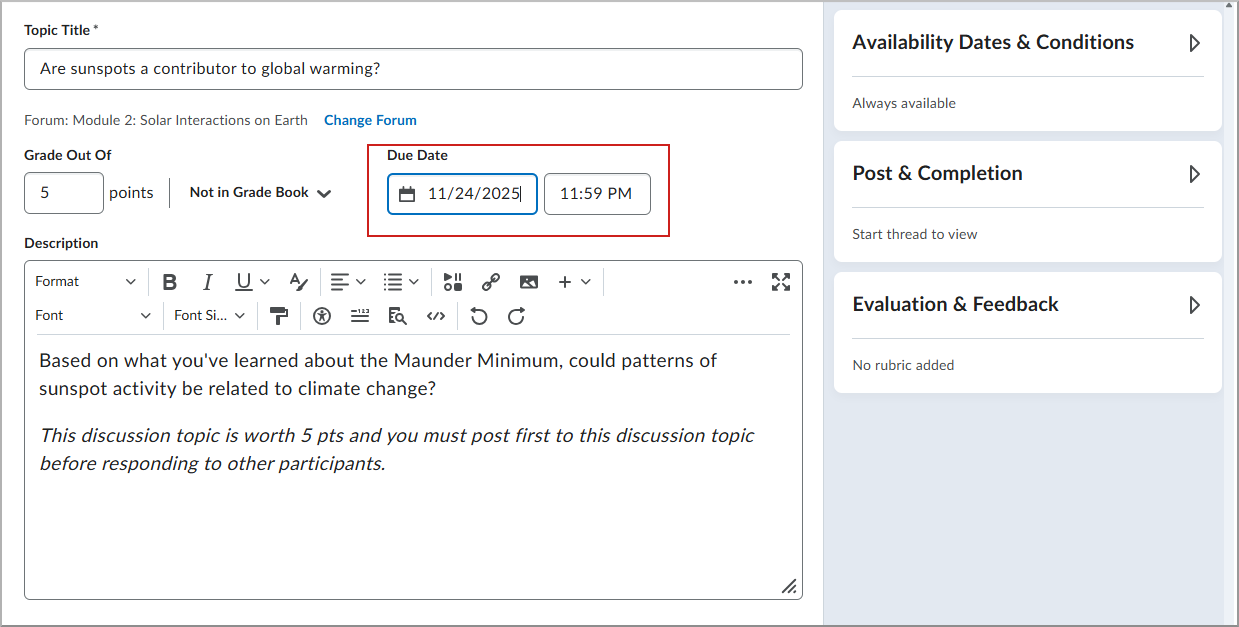
Figure: Instructor view of a discussion topic with a first post due date.
Quizzes – Zero point quiz questions | New
Instructors can now assign 0 (zero) points to a quiz question to collect non-graded information, for example, feedback or personal input.
This feature eliminates the need for workarounds such as assigning 0.01 points or manually adjusting scores after submission. Instructors can enter zero points in the points field for any question type within the quiz, ensuring that these questions do not contribute to the quiz’s total points. This feature is especially useful for gathering additional information from learners during a quiz or for implementing an “Honesty Code” question at the beginning of the quiz.
Previously, instructors were restricted from entering zero points for quiz questions.
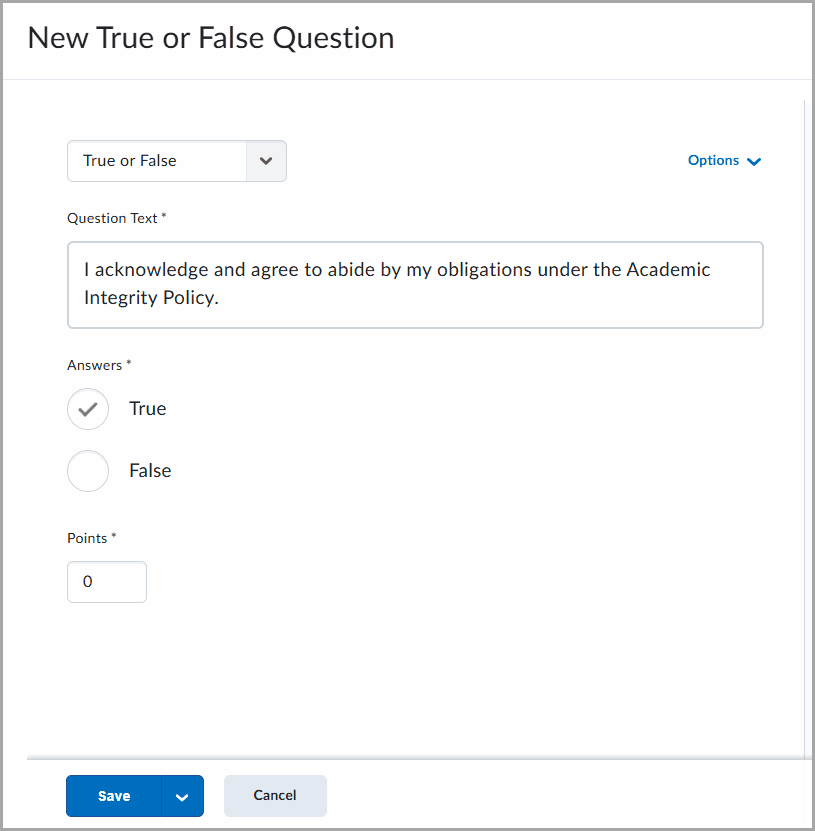
Figure: Example of a quiz question displaying a statement on academic integrity with answer options for True and False, and the points field set to zero.
